Running a successful online business means constantly improving your offerings. But as your site grows, lots of small updates and added pages can result in confusing navigation, making it tricky for customers to find what they need. When this happens, a complete website redesign can restore clarity and help you stay competitive.
Learn how website redesign reinvigorates your e-commerce business, with step-by-step guidance on how to do it effectively.
What’s a Website Redesign?
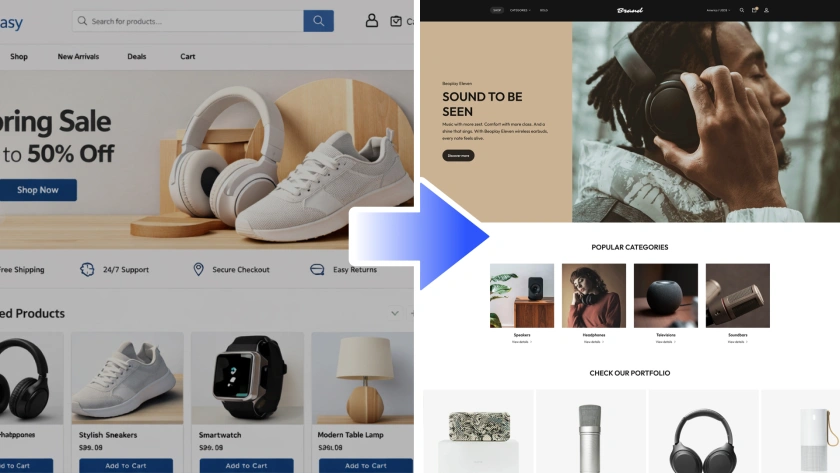
Website redesign goes beyond the routine tweaks that keep a site running. It involves redoing a site’s structure, functionality, and design to address brand and customer needs.
If your e-commerce store is already thriving, there’s probably no need to reinvent the wheel. But if new tech features would significantly improve user experience (UX), your branding strategy has changed, or customer feedback shows your site needs more than small fixes, then a full website redesign might be the way to go.
Website Redesign vs. Website Refresh
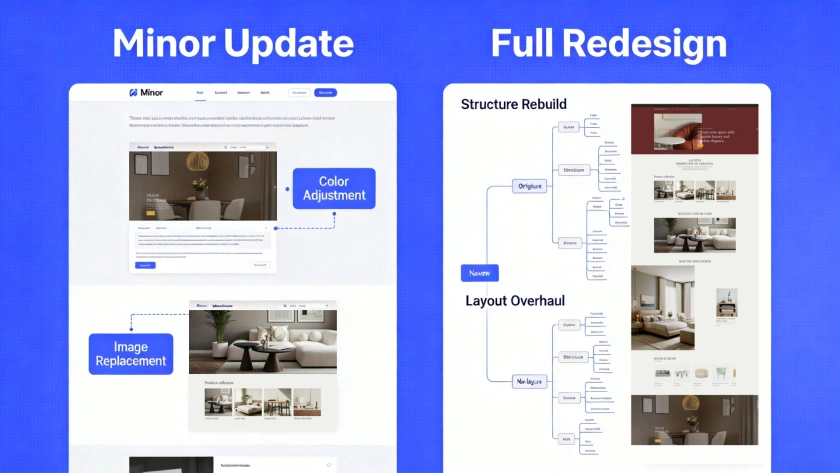
A website redesign is a comprehensive reconstruction that results in a brand-new website. In contrast, a website refresh makes simple UX and aesthetic updates to an existing site.
Here are some updates you’d make during a website refresh:
- Changing the color palette to better align with the brand and improve visuals
- Updating product images, tweaking written content, or replacing stale UX elements, like banners and buttons
- Improving the mobile experience
The goal of a website refresh is to enhance the current site through targeted changes of specific aspects, not a complete rebuild.
When Do You Need a Website Redesign Strategy?
Here are a few scenarios where a full website redesign makes sense.
Poor UX
Usability is critical for any website—but more so for an e-commerce store—because poor navigation makes purchasing harder, leading to more drop-offs and lost sales. If your target audience finds the user journey convoluted or confusing, a website redesign can rein in the complexity. It improves navigation, purchase flows, and product discovery, minimizing abandoned shopping carts and improving your conversion rate.
Outdated Design
Shoppers may hesitate to buy from you if your website looks old or neglected. Updating the aesthetics makes your business feel more current and credible to the audience, inviting more visitors to engage with your store.
Performance Issues
Even small delays in page loading can hurt your conversion rate, which could mean thousands of dollars in lost revenue. If your website feels clunky and slow, updating its infrastructure through a website redesign could increase revenue.
How To Redesign a Website Step-by-Step
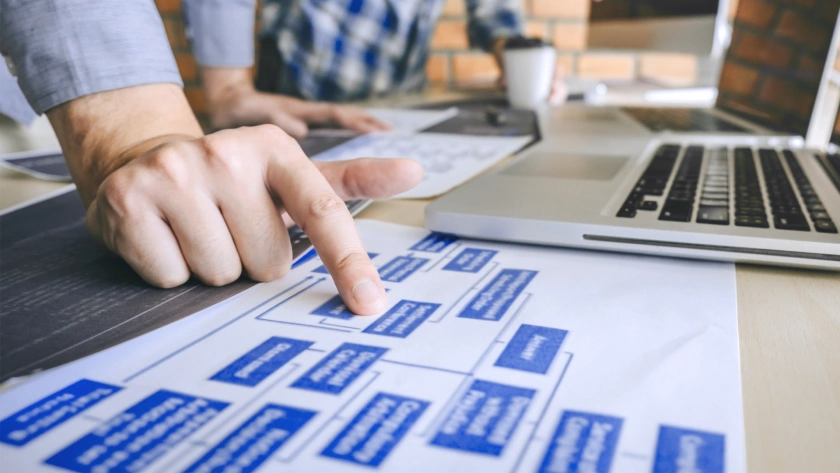
Redesigning a website is easier when you break the process into clear stages. Follow the steps below to confidently move from planning to launch.
Step 1. Audit Your Current Website
Start by thoroughly going over your website’s visual design, user journey, and metrics. Look at aspects like:
- Page load time: Slow load times increase bounce rate, meaning more visitors leave your site without exploring further. This happens because users generally expect pages to load quickly and tend to abandon sites that are slow.
- Mobile usability: Nearly two-thirds of internet traffic comes from mobile phones. Not making your UX mobile friendly excludes the biggest segment of your audience.
- Search engine optimization (SEO): Well-written, keyword-rich content helps a website show up higher in search results. If your site isn’t ranking well, rewriting the content as part of the redesign can improve search ranking and keep viewers engaged.
If you have customer feedback on your page’s performance, it’ll be invaluable here.
Step 2. See What Top Competitors Are Doing
Identify the competitors outperforming you in your niche. Audit their site the same way you reviewed your own to get practical ideas to incorporate into your redesign strategy. But use competitors’ tactics as inspiration for improving your site, rather than replicating them directly, as their choices may not suit your audience and goals.
Step 3. Decide Whether To Hire an Agency or Do It Yourself
A reputable website design agency gives you confidence that the project is in capable hands—but it’s not cheap. Fortunately, doing it yourself no longer requires a computer science degree. AI-powered website builders like Genstore make website design and development simple and intuitive. Just describe your needs and goals in plain English, and get professional results.
If you decide to go with an agency, research to find out which companies offer website redesign services in your niche and have a good track record of customer satisfaction.
Step 4. Set Benchmarks
To measure the impact of a website redesign on the business, set clear goals and define the benchmarks you’ll use to track progress. For example, if your email newsletter is a key driver of sales, metrics like new signups and open rates might be good indicators of whether the redesign is supporting business growth.
Step 5. Define Aesthetics and Branding
Brainstorm how you want the new website to look and feel to convey your brand identity. If you’re not sure, Genstore’s AI Agents can offer expert advice tailored to your brand and niche.
Step 6. Work Out Your Content Strategy
The website’s appearance is important, but clear, compelling content also matters. Define the tone you want to use, like friendly and informal, or corporate and official. Then, outline the actions you want each content type to encourage. For instance, your main goal for blog posts might be to nudge readers to subscribe to the email newsletter.
Step 7. Optimize for SEO
SEO gets your website noticed by helping search engines understand and rank your pages. The right search terms, relevant keywords, and clear titles and descriptions improve your ranking, making it easier for customers to find you when they search for products in your niche.
When working with an agency, outline the kind of SEO strategy you expect from the start. If you’re using a website builder instead, choose one that offers AI-automated SEO, taking one more task off your plate.
Step 8. Launch and Monitor
Go live and start tracking how your new website performs. Monitoring key metrics you identified earlier in the redesign shows what worked and what you might need to rethink.
8 Website Redesign Services To Consider

Choosing the right platform for a website redesign is critical to both the process and the outcome. There’s no shortage of options on the market, but here are eight services that stand out.
Genstore
Genstore offers some of the most advanced AI features for website design. It’s built for speed, simplicity, and minimal manual setup. Just tell our AI Super Agent what you want, and watch a website layout come to life in minutes. One-click migration also means you don’t have to start from scratch if you’re upgrading from a different platform.
WebFX
WebFX is a digital marketing agency that offers both template-based and custom corporate website redesigns, with a particular focus on SEO. It may be appropriate if SEO is your main priority over a comprehensive range of features, like built-in analytics management or automated promotional campaigns.
Limeup
Limeup targets specialized sectors, like fintech and healthcare. Services include UX design and custom web development packages, though it’s more hands-on and slower than AI-driven builders.
Wix
Wix offers a basic drag-and-drop interface for building websites. Its built-in AI tools are limited, and the results require more manual polishing compared to Genstore’s commerce-ready generation.
Webflow
Webflow’s software offers a Photoshop-like interface for designing websites. It’s suitable for users who’re already familiar with designing and launching websites, and has a steeper learning curve than more AI-forward options like Genstore.
Squarespace
Squarespace gives users basic templates and drag-and-drop functionality for blogs, online portfolios, and other types of sites. The platform offers some online store functionality, but you may find it lacking if e-commerce is your main focus.
Design Studio
Design Studio is an agency focused specifically on UX. If the main goal is updating the user journey while leaving the other elements of the website intact, Design Studio may be a good fit. However, you might need to look elsewhere if you want the ability to update the site’s aesthetic without paying for another round of custom design work.
Squibble
Squibble is a web design agency built on WordPress. It offers custom design, with the primary aim of improving usability and performance. If you’re not comfortable with a multi-week turnaround time, though, an AI website builder might be a better fit.
Redesign Your Website in Minutes with Genstore
Redesigning your online store is a chance to increase traffic and conversion rates—but it’s also a major undertaking.
When done well, a website redesign can be transformative for your business, but a poorly executed one can leave things worse than when you started. That’s why it’s so important to tackle your website redesign with the right tools.
Nowadays, that means AI—and Genstore does it best. Genstore gives you access to a full suite of dedicated AI Agents that simplify everything a fresh new website needs, like design, marketing, and customer support. Plus, you don’t need years of technical or design experience to get professional results, just a simple text prompt describing what you want to improve.
If you’re not sure where to start, Genstore’s Analytics Agent can identify weaknesses to fix and strengths to build on. Once you have a plan, pass it to the Design Agent, and watch your new site materialize in minutes instead of days or weeks.
Sign up today, and boost your bottom line with Genstore.
FAQ
How can SEO be incorporated into a website redesign?
When it comes to website redesign, SEO should be a key strategy. Analyze how well (or poorly) the existing content supports your website’s visibility. Evaluate elements like blog posts, title tags, and meta descriptions by checking whether they target the right keywords and clearly describe the page content. Then, share your findings with Genstore’s AI Agent to improve SEO performance.
What’s involved in a website redesign?
Here’s a list of tasks involved in a full website redesign:
- Analyzing what is and isn’t working in your current website
- Researching competitors for ideas
- Setting and tracking benchmarks
- Working out visuals and branding
- Developing a content strategy
- Optimizing for SEO
If all this feels overwhelming, use a full-featured, AI-powered website builder like Genstore. Its text-based user interface dramatically reduces the complexity associated with website redesign.
What tips can help with a website redesign?
Here are a few ways to ensure your website redesign experience goes smoothly:
- Make design decisions based on hard data instead of hunches.
- Set measurable benchmarks to track progress.
- Focus on the user journey, not just snazzy design.